
Google Ads for Small Businesses: A Beginner's Guide
Published: August 3, 2026 • Last Updated: August 3, 2026 • 12 min read
If you're looking for a fast way to generate qualified leads and grow your business online, Google Ads is one of the most effective digital marketing platforms available.
Unlike search engine optimization (SEO), which can take months to produce results, Google Ads allows your business to appear at the top of Google Search almost immediately. When potential customers search for services you offer, your ads can appear in front of them at the exact moment they're ready to take action.
Whether you're a local service provider, contractor, healthcare practice, or professional service business, Google Ads can help you increase website traffic, phone calls, and customer inquiries while giving you full control over your advertising budget.
In this beginner's guide, you'll learn how Google Ads works, the different campaign types, how much it costs, and best practices for creating campaigns that deliver measurable results.
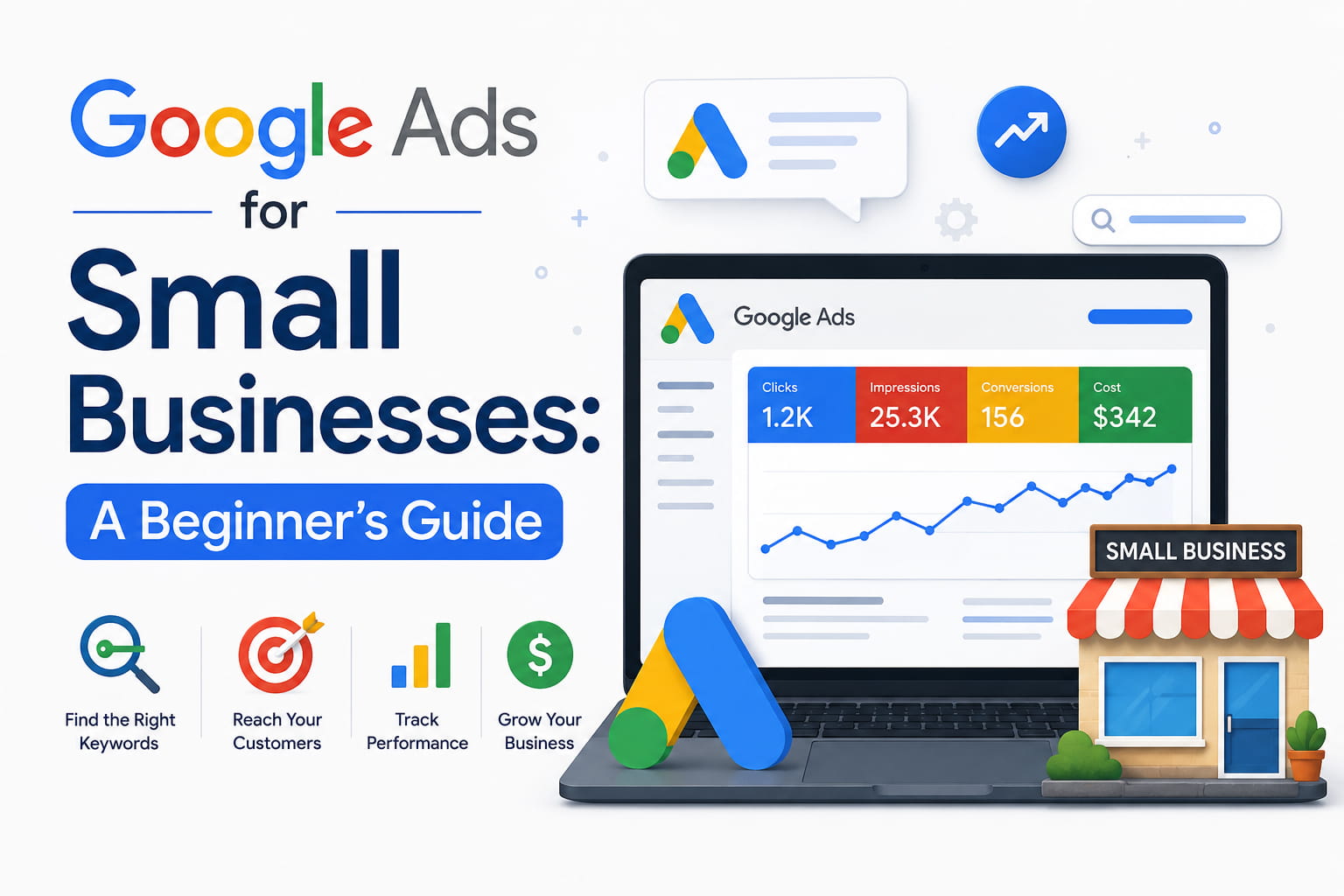
Table of Contents
What Is Google Ads?
How Google Ads Works
Why Google Ads Is Great for Small Businesses
Understanding Google Ads Campaign Types
How Much Does Google Ads Cost?
Keyword Research Basics
Understanding Match Types
Writing Effective Google Ads
Landing Pages Matter
Why Conversion Tracking Is Essential
Common Google Ads Mistakes
Tips to Improve Performance
Frequently Asked Questions
Final Thoughts
What Is Google Ads?
Google Ads is Google's online advertising platform that allows businesses to display ads across Google Search, YouTube, Google Maps, Gmail, and millions of partner websites.
Businesses only pay when someone clicks their ad (Pay-Per-Click or PPC), making it one of the most measurable forms of digital advertising.
How Google Ads Works
Google Ads operates through an auction system that takes place every time someone searches on Google.
When a user enters a search query, Google instantly evaluates all advertisers targeting that keyword. Rather than simply displaying the highest bidder, Google considers several factors to determine which ads appear and in what order.
This entire process happens in just a fraction of a second.
Google Ads Auction Process
1. Customer Searches on Google
Everything starts when someone searches for a product or service.
For example:
Emergency plumber near me
Dentist in General Santos City
Google Ads specialist
Air conditioning repair
If your keywords match the user's search, your ad becomes eligible to enter the auction.
2. Google Evaluates Advertisers
Google reviews all advertisers targeting the searched keyword.
Instead of choosing the advertiser with the highest budget, Google evaluates the overall quality and relevance of every ad.
Several factors are considered, including:
Your maximum bid
Ad quality
Landing page experience
Expected click-through rate
Ad relevance
This ensures users see helpful and relevant ads rather than simply the most expensive ones.
3. Ad Rank Is Calculated
Google calculates an Ad Rank for every eligible advertiser.
Ad Rank determines whether your ad appears and where it will be positioned on the search results page.
Several factors contribute to your Ad Rank, including:
Bid
Your bid is the maximum amount you're willing to pay for a click.
A higher bid may improve your chances of appearing in search results, but it does not guarantee the top position.
Quality Score
Quality Score is Google's rating of the overall quality and relevance of your keywords, ads, and landing pages.
A higher Quality Score can help you:
Pay less per click
Achieve higher ad positions
Improve campaign performance
Landing Page Experience
After someone clicks your ad, Google wants them to have a positive experience.
Your landing page should:
Load quickly
Be mobile-friendly
Match the content of your ad
Be easy to navigate
Include a clear call-to-action
A well-designed landing page can improve both your Quality Score and conversion rate.
Expected Click-Through Rate (CTR)
Expected CTR is Google's prediction of how likely someone is to click your ad when it appears.
Ads with compelling headlines, relevant keywords, and clear messaging typically achieve higher click-through rates.
Improving your expected CTR can increase your Ad Rank without increasing your advertising budget.
4. Ads Appear in Search Results
After calculating Ad Rank, Google displays the highest-ranking ads at the top of the search results.
This means that advertisers with well-optimized campaigns can often outrank competitors who simply spend more money.
5. The Customer Clicks Your Ad
If someone finds your ad relevant, they click it and visit your website or landing page.
This is your opportunity to convert that visitor into a lead, phone call, appointment, or sale.
6. You Pay Only When Someone Clicks
Google Ads uses a Pay-Per-Click (PPC) model.
This means you only pay when someone actually clicks your ad.
If your ad is displayed but no one clicks it, you won't be charged.
This makes Google Ads a cost-effective advertising platform because you're paying for actual visitor engagement rather than simply showing your ad.
Why Google Ads Is Great for Small Businesses
For small businesses looking to attract more customers and grow their revenue, Google Ads is one of the most effective digital marketing platforms available. Unlike traditional advertising, Google Ads allows you to reach people who are actively searching for the products or services you offer.
Whether you're a local contractor, healthcare provider, restaurant, or professional service business, Google Ads can help you connect with potential customers at the exact moment they're ready to take action.
Here are some of the biggest advantages of using Google Ads for your business.
Immediate Visibility
One of the biggest advantages of Google Ads is speed.
Unlike search engine optimization (SEO), which can take several months to improve your rankings, Google Ads allows your business to appear at the top of Google Search almost immediately after your campaign is approved.
This means you can start generating website visits, phone calls, and customer inquiries without waiting for organic rankings to improve.
For businesses that need leads quickly, Google Ads provides a fast and effective solution.
Flexible Budget
Google Ads gives you complete control over your advertising budget.
There is no minimum spending requirement, allowing businesses of all sizes to advertise based on what they can afford. You can set a daily budget, adjust your spending at any time, or pause your campaigns whenever necessary.
This flexibility makes Google Ads accessible for both small businesses and larger organizations.
As your business grows, your advertising budget can grow with it.
Local Targeting
If your business serves a specific city, region, or service area, Google Ads allows you to target customers in those locations.
Instead of showing your ads to people across the country, you can focus your budget on reaching customers who are most likely to become paying clients.
For example, a plumbing company in Davao can display ads only to people searching within Davao City, ensuring every advertising dollar is spent more efficiently.
Local targeting helps reduce wasted ad spend while increasing the likelihood of generating qualified leads.
Qualified Traffic
One of the greatest strengths of Google Ads is that nearly every aspect of your campaign can be measured.
You can track important metrics such as:
Website visits
Phone calls
Form submissions
Appointment bookings
Cost per click (CPC)
Cost per conversion
Conversion rate
Return on ad spend (ROAS)
This data helps you understand what's working, identify opportunities for improvement, and make informed marketing decisions based on real performance rather than guesswork.
Generate More Phone Calls
Many service-based businesses rely heavily on phone inquiries.
Google Ads includes call-focused features that allow potential customers to contact your business directly from the search results.
With call extensions and call ads, users can simply tap your phone number on their mobile device to connect with your business.
This is especially valuable for industries such as:
Home services
Healthcare
Legal services
Automotive repair
Emergency services
For businesses that depend on phone leads, Google Ads can become a reliable source of new customer inquiries.
Increase Appointment Bookings
Google Ads can also help businesses generate online bookings and appointments.
Whether you run a dental clinic, salon, consulting business, fitness center, or therapy practice, your ads can direct visitors to a dedicated booking page where they can schedule an appointment in just a few clicks.
By sending traffic to a well-designed landing page with a clear call-to-action, you can reduce friction and make it easier for potential customers to take the next step.
This results in more bookings, better conversion rates, and a smoother customer experience.
Pro Tip: Google Ads works best when it's part of a complete marketing strategy. Pair your campaigns with accurate conversion tracking, optimized landing pages, and ongoing campaign optimization to maximize your return on investment.
Google Ads Campaign Types
Google Ads offers several campaign types, each designed to help businesses reach potential customers in different ways. Choosing the right campaign depends on your business goals, target audience, and the products or services you offer.
Understanding the purpose of each campaign type will help you invest your advertising budget more effectively.
Search Campaign
Search Campaigns display text ads on Google Search when users actively search for keywords related to your business.
For example, if someone searches for:
Emergency plumber near me
Dentist in Davao
Google Ads Specialist
Roofing contractor
Your ad can appear at the top of the search results.
Search Campaigns are highly effective because they target people who already have buying intent. These users are actively looking for a solution, making them more likely to contact your business or make a purchase.
Best for:
Service-based businesses
Local businesses
Professional services
Lead generation
Phone calls
Appointment bookings
Display Campaign
Display Campaigns show visual banner ads across Google's Display Network, which includes millions of websites, blogs, mobile apps, and Gmail.
Unlike Search Campaigns, users are not actively searching for your business. Instead, your ads appear while they browse other websites.
Display campaigns are excellent for increasing brand awareness and staying visible to potential customers.
Best for:
Brand awareness
Remarketing campaigns
Product promotion
Building audience recognition
Performance Max Campaign
Performance Max is Google's AI-powered campaign type that automatically displays your ads across all Google channels using a single campaign.
Your ads may appear on:
Google Search
YouTube
Google Display Network
Gmail
Google Discover
Google Maps
Shopping
Google's machine learning automatically determines where your ads are most likely to perform based on your campaign goals and available data.
Performance Max works best when your account already has sufficient conversion data for Google's AI to optimize effectively.
Best for:
Businesses with conversion tracking already in place
E-commerce stores
Businesses with multiple marketing objectives
Scaling successful campaigns
Shopping Campaign
Shopping Campaigns display product listings directly in Google Search results.
Instead of traditional text ads, customers see:
Product image
Product title
Price
Store name
Best for:
Online stores
Retail businesses
Product-based businesses
E-commerce websites
Video Campaign
Video Campaigns display ads on YouTube and across Google's video partner network.
Video advertising is an excellent way to increase brand awareness, demonstrate products or services, and engage potential customers through visual storytelling.
Businesses can create:
Skippable in-stream ads
Non-skippable ads
In-feed video ads
Shorts ads
Bumper ads
Video campaigns are especially effective for building trust and educating potential customers before they make a buying decision.
Best for:
Brand awareness
Product demonstrations
Educational content
Customer testimonials
Remarketing
Demand Gen Campaign
Demand Gen Campaigns help businesses create demand before customers begin actively searching.
Instead of targeting people who already know they need your services, Demand Gen campaigns reach users while they browse content on:
YouTube
Gmail
Google Discover
Google uses audience signals and machine learning to show visually engaging ads to people who are likely to be interested in your products or services.
Demand Gen is designed to inspire interest and generate new demand rather than capture existing demand.
Best for:
Brand awareness
New product launches
Growing your audience
Visual marketing campaigns
Building demand before purchase
Pro Tip: Before exploring advanced campaign types, focus on building a strong foundation with Search Campaigns, accurate conversion tracking, and a high-converting landing page. These three elements work together to maximize your return on investment and create a scalable Google Ads strategy.
How Much Does Google Ads Cost?
Google Ads doesn't have a fixed price. The amount you spend depends on your business goals, industry, competition, and advertising strategy.
Unlike traditional advertising, Google Ads gives you complete control over your budget. Whether you're a small local business or a growing company, you can create a campaign that fits your marketing budget.
There Is No Minimum Budget
Google Ads does not require a minimum advertising budget to get started.
You decide how much you're comfortable spending, and you can increase or decrease your budget at any time.
This makes Google Ads accessible to businesses of all sizes, from local startups to established companies.
As your business grows, you can gradually scale your advertising investment based on your campaign performance.
Set Your Own Daily Budget
Instead of paying a fixed monthly fee, Google Ads allows you to set a daily budget for each campaign.
Your daily budget tells Google the average amount you're willing to spend each day.
For example, if your daily budget is reached, Google will generally stop showing your ads until more budget becomes available. This helps you stay in control of your advertising costs and prevents unexpected spending.
You can also adjust your budget whenever your business needs change, giving you complete flexibility over your campaigns.
Competition Affects Your Cost Per Click (CPC)
Google Ads uses an auction system, meaning advertisers compete for the same keywords.
The more businesses bidding on a keyword, the more competitive it becomes.
Highly competitive industries such as legal services, insurance, and home improvement often have higher Cost Per Click (CPC) because many businesses are trying to reach the same audience.
On the other hand, less competitive industries may have lower advertising costs.
The important thing to remember is that a higher CPC doesn't necessarily mean better results. A well-managed campaign focused on relevant keywords and quality traffic often delivers a better return on investment than simply bidding more.
Quality Score Can Reduce Your Advertising Costs
Many people believe that spending more money automatically results in better ad positions.
In reality, Google rewards advertisers who provide a better experience for users.
One of the most important factors is Quality Score, which measures the relevance and quality of your keywords, ads, and landing pages.
A higher Quality Score can help you:
Pay less for each click
Improve your ad position
Increase your click-through rate
Maximize your advertising budget
Google evaluates Quality Score based on factors such as:
Ad relevance
Expected Click-Through Rate (CTR)
Landing page experience
By improving these areas, you can often achieve better results without increasing your budget.
Focus on Return on Investment, Not Just Cost
When planning a Google Ads campaign, it's important to think beyond how much each click costs.
The real goal is generating profitable leads and customers.
For example, a keyword with a higher Cost Per Click may still be more valuable if it consistently generates qualified leads and new business.
Instead of asking, "How much will Google Ads cost?", a better question is:
"How much value can Google Ads generate for my business?"
A well-optimized campaign focuses on maximizing return on investment (ROI) rather than simply minimizing advertising costs.
What Determines Your Google Ads Costs?
Several factors influence how much you'll spend on Google Ads, including:
Your industry and level of competition
The keywords you target
Your daily advertising budget
Your bidding strategy
Your Quality Score
The relevance of your ads
Your landing page experience
Improving these areas can help you get more clicks, more leads, and better results from your advertising budget.
Pro Tip: Don't judge your campaign by how much you spend. Measure success by the quality of the leads you generate, your conversion rate, and your overall return on investment. A campaign that costs less but delivers poor-quality leads is rarely as valuable as one that consistently brings in qualified customers.
Keyword Research Basics
Keyword research is one of the most important parts of a successful Google Ads campaign. Choosing the right keywords helps ensure your ads appear in front of people who are actively looking for the products or services you offer.
Instead of trying to reach everyone, effective keyword research focuses on reaching the right audience at the right time.
What Is a Keyword?
A keyword is a word or phrase that someone types into Google when searching for information, a product, or a service.
For example, if someone needs a plumber, they might search for:
Emergency plumber near me
Plumbing services in Davao
24-hour plumber
These search terms are keywords that businesses can target in their Google Ads campaigns.
Focus on High-Intent Keywords
Not all keywords are equally valuable.
Some people are simply looking for information, while others are ready to contact a business or make a purchase.
These are known as high-intent keywords because they indicate that the user is close to making a decision.
High-intent keywords often include words such as:
Near me
Best
Emergency
Hire
Services
Company
Specialist
Quote
Repair
Book
Because these searches show strong buying intent, they are more likely to generate qualified leads and conversions.
Examples of High-Intent Keywords
Here are some examples of keywords that indicate a customer is actively searching for a service:
Emergency plumber near me
Dentist in Davao
Roof repair company
Lawyer near me
Air conditioning repair
Pest control services
Accounting firm in General Santos City
Google Ads management services
These searches suggest that the user is looking for a business to contact rather than simply gathering information.
Choose Keywords That Match Your Services
Your keywords should accurately describe the products or services you offer.
For example, if you own a dental clinic, you might target keywords such as:
Family dentist in Davao
Emergency dentist near me
Teeth whitening services
Dental clinic in General Santos City
The closer your keywords match your services, the more relevant your ads will be to potential customers.
Avoid Broad Keywords
Many beginners make the mistake of targeting broad keywords because they have high search volumes.
For example:
Dentist
Plumber
Lawyer
Roofing
Marketing
These keywords are often too general and can attract people who are not looking for your specific services.
Think Like Your Customers
One of the best ways to find effective keywords is to think about what your potential customers would actually type into Google.
Ask yourself:
What problem are they trying to solve?
What service do they need?
Where are they located?
Are they ready to buy or just researching?
Understanding your customers' search intent helps you choose keywords that attract people who are most likely to contact your business.
Use Keyword Research Tools
Several tools can help you discover relevant keywords and estimate their search demand.
Popular keyword research tools include:
Google Keyword Planner
Google Search Console
Google Trends
Ahrefs
SEMrush
Ubersuggest
These tools can help you identify keyword opportunities, discover related searches, and understand how customers search for businesses like yours.
Pro Tip: Choose keywords based on search intent, not just search volume. A keyword with fewer searches but stronger buying intent is often more valuable than a popular keyword that attracts visitors who aren't ready to become customers.
Match Types
Choosing the right keyword match type helps control when your ads appear in Google Search. Match types determine how closely a user's search must match your keyword before your ad is eligible to show.
Using the correct match types can improve your targeting, reduce wasted ad spend, and attract more qualified leads.
Google Ads offers three primary keyword match types, along with negative keywords, which prevent your ads from appearing for irrelevant searches.
Broad Match
Broad Match gives your ads the widest possible reach.
Google may show your ad for searches related to your keyword, including similar words, synonyms, and searches with the same intent.
For example, if your keyword is:
Plumber
Your ad may appear for searches such as:
Plumbing services
Emergency pipe repair
Water leak repair
Local plumbing company
While Broad Match can help you discover new search opportunities, it may also trigger your ads for searches that are less relevant.
Best for:
Finding new keyword opportunities
Campaigns with strong conversion tracking
Advertisers using Smart Bidding
Phrase Match
Phrase Match offers more control while still allowing some flexibility.
Your ad appears when a user's search includes the meaning of your keyword, even if additional words are added before or after it.
For example, if your keyword is:
"Roof repair"
Your ad may appear for searches like:
Roof repair company
Affordable roof repair
Emergency roof repair near me
But it is less likely to appear for searches with unrelated meanings.
Phrase Match is often a good balance between reach and relevance.
Best for:
Local service businesses
Lead generation
Small business campaigns
Exact Match
Exact Match provides the highest level of control.
Your ad appears only when the user's search closely matches your keyword or has the same meaning.
This helps ensure your ads are shown to highly relevant searches.
For example, if your keyword is:
[Family dentist in Davao]
Your ad may appear for searches like:
Family dentist in Davao
Dentist for families in Davao
Exact Match often delivers highly qualified traffic because it targets users with very specific search intent.
Best for:
High-intent keywords
Businesses with limited budgets
Maximizing relevance
Negative Keywords
Negative Keywords prevent your ads from appearing for searches that are not relevant to your business.
They help reduce wasted ad spend and improve the quality of your traffic.
For example, if you provide paid plumbing services, you may want to exclude searches such as:
Free plumbing advice
Plumbing jobs
Plumbing courses
DIY plumbing
Adding these as negative keywords ensures your ads aren't shown to users who are unlikely to become customers.
Common Negative Keywords
Free
Jobs
Careers
Salary
Course
Training
DIY
PDF
YouTube
Review your Search Terms Report regularly to identify new negative keywords and improve campaign performance over time.
Pro Tip: Don't rely on Broad Match alone. Combining Phrase Match, Exact Match, and a well-maintained Negative Keyword list gives you greater control over your campaigns, improves lead quality, and helps you make the most of your advertising budget.
Writing Effective Google Ads
Writing effective Google Ads is about more than simply describing your product or service. Your ads should capture attention, communicate value, and encourage potential customers to take action.
A well-written ad can improve your Click-Through Rate (CTR), increase your Quality Score, and generate more qualified leads without increasing your advertising budget.
Here are some best practices for creating high-performing Google Ads.
Include Your Target Keywords
One of the easiest ways to improve your ad relevance is by including your target keyword in your ad copy.
When the keyword a user searches for appears in your headline or description, it signals that your ad is relevant to their search.
For example, if someone searches for "Emergency Plumber Near Me," an ad like this is more likely to attract attention:
Example
Emergency Plumber Near You
Fast, Reliable Plumbing Services Available 24/7. Call Now for Immediate Assistance.
Including relevant keywords also helps improve your Quality Score, which can lead to better ad positions and lower advertising costs.
Tip: Use your primary keyword naturally. Avoid repeating it excessively, as keyword stuffing can make your ads sound unnatural.
Highlight the Benefits
Instead of only listing your services, explain why customers should choose your business.
Focus on the value you provide and how you solve your customers' problems.
Instead of writing:
❌ We Offer Roofing Services
Write:
✅ Professional Roof Repairs with Fast, Reliable Service
Benefits help potential customers understand what makes your business different from your competitors.
Examples include:
Free Estimates
Same-Day Service
Licensed & Insured
Experienced Professionals
Affordable Pricing
No Hidden Fees
Satisfaction Guaranteed
Think about what matters most to your customers and make those benefits clear in your ads.
Use a Strong Call-to-Action (CTA)
Every Google Ad should encourage users to take the next step.
A clear call-to-action tells potential customers exactly what you want them to do.
Examples include:
Get a Free Quote
Book Your Appointment Today
Call Now
Request a Free Consultation
Schedule Your Service
Contact Us Today
Get Started
A strong CTA creates urgency and increases the likelihood that users will click your ad.
Build Trust
People are more likely to click on ads from businesses they trust.
Including trust signals in your ad copy helps build confidence before a customer even visits your website.
Examples of trust-building statements include:
Over 10 Years of Experience
Licensed & Insured
5-Star Customer Reviews
Trusted by Local Businesses
Certified Professionals
Transparent Pricing
Satisfaction Guaranteed
These credibility indicators can help your business stand out in competitive search results.
Use Ad Extensions
Ad extensions provide additional information about your business and make your ads more useful to potential customers.
They can also improve your ad's visibility by taking up more space in the search results.
Some of the most common ad extensions include:
Sitelink Extensions
Direct users to specific pages on your website, such as:
Services
About Us
Pricing
Contact
Call Extensions
Display your business phone number, allowing customers to call you directly from the search results.
This is especially valuable for service-based businesses that rely on phone inquiries.
Location Extensions
Show your business address and help customers find your location through Google Maps.
This is ideal for local businesses with a physical storefront or office.
Callout Extensions
Highlight additional selling points without adding another headline.
Examples include:
Free Consultation
Same-Day Service
No Hidden Fees
Family-Owned Business
Structured Snippet Extensions
Show a list of products, services, or features offered by your business.
Pro Tip: Don't settle for a single ad. Create multiple versions of your headlines and descriptions, then let Google test different combinations through Responsive Search Ads. Regular testing helps you identify which messaging resonates best with your audience and improves campaign performance over time.
Why Landing Pages Matter
Getting people to click your Google Ads is only half the battle. What happens after they click is just as important.
Many businesses make the mistake of sending visitors to their homepage. While a homepage provides general information about your business, it often contains multiple links, services, and distractions that can make it difficult for visitors to take action.
Instead, Google Ads campaigns perform best when they direct users to a dedicated landing page that is specifically designed to convert visitors into leads or customers.
Don't Send Traffic to Your Homepage
Your homepage is designed to introduce your business and help visitors explore different areas of your website.
It may include:
Multiple navigation links
Several services
Blog posts
About Us information
Contact details
Social media links
While these elements are useful for general browsing, they can distract visitors who clicked your ad with a specific goal in mind.
For example, if someone searches for "Emergency Roof Repair" and clicks your ad, they expect to find information about roof repair services—not your company history or every service you offer.
The more choices visitors have, the less likely they are to complete the action you want them to take.
Use Dedicated Landing Pages
A landing page is a standalone web page created specifically for a marketing campaign.
Unlike a homepage, a landing page focuses on one service, one audience, and one call-to-action.
Its purpose is simple: guide visitors toward a single action, such as:
Requesting a quote
Booking an appointment
Calling your business
Completing a contact form
Making a purchase
By removing unnecessary distractions, landing pages make it easier for potential customers to take the next step.
What Makes a High-Converting Landing Page?
An effective landing page should clearly communicate your value and make it easy for visitors to convert.
Some essential elements include:
A clear, benefit-focused headline
A brief description of your service
Relevant images or graphics
Customer testimonials or reviews
Trust signals such as certifications or guarantees
A simple contact form or booking option
A strong call-to-action
A mobile-friendly design
Fast loading speed
Every section should support the visitor's decision to contact your business or request your service.
Better Landing Pages Lead to Better Results
Google evaluates the quality and relevance of your landing page as part of your Quality Score.
A well-designed landing page can help you:
Increase conversion rates
Improve user experience
Achieve a higher Quality Score
Lower your Cost Per Click (CPC)
Generate more qualified leads
Maximize your return on investment (ROI)
Even a great Google Ads campaign can underperform if it sends visitors to the wrong page.
Want a landing page that converts more visitors into customers? Explore my Funnel Building Services to see how I design conversion-focused landing pages and sales funnels that support your Google Ads campaigns and help businesses generate more qualified leads.
Pro Tip: Every Google Ads campaign should have its own dedicated landing page. Matching your ad message with a relevant landing page creates a better user experience, improves Quality Score, and increases the likelihood that visitors will become paying customers.
Why Conversion Tracking Is Essential
Launching a Google Ads campaign without conversion tracking is like driving a car without a dashboard. You might be moving, but you have no way of knowing if you're heading in the right direction.
Conversion tracking allows you to measure the actions that matter most to your business, such as phone calls, contact form submissions, appointment bookings, purchases, or quote requests.
Instead of guessing whether your ads are working, you can use real data to understand what's driving results and make smarter marketing decisions.
What Is Conversion Tracking?
Conversion tracking is the process of measuring the actions visitors take after clicking your Google Ads.
A conversion can be any valuable action, including
Contact form submissions
Phone calls
Appointment bookings
Product purchases
Newsletter sign-ups
Quote requests
By tracking these actions, you can determine whether your advertising investment is generating real business results.
Why Conversion Tracking Matters
Many businesses focus only on clicks and website traffic.
While clicks are important, they don't tell you whether your campaign is actually generating leads or sales.
Conversion tracking provides the data needed to evaluate your campaign's true performance and identify opportunities for improvement.
Which Keywords Generate Leads?
Not every keyword produces the same results.
For example, two keywords might receive the same number of clicks, but only one consistently generates customer inquiries.
Without conversion tracking, you won't know which keywords are producing qualified leads.
This can result in spending money on keywords that drive traffic but never generate business.
By identifying your best-performing keywords, you can invest more of your budget where it has the greatest impact.
Which Ads Perform Best?
Most Google Ads campaigns include multiple ads within each ad group.
Conversion tracking helps you determine:
Which headlines attract the most customers
Which descriptions generate more conversions
Which calls-to-action encourage users to take action
Rather than making decisions based on assumptions, you can optimize your ads using real performance data.
Understand Your Cost Per Conversion
Clicks are only part of the story.
A more valuable metric is Cost Per Conversion, which shows how much you spend to generate a lead or customer.
For example:
Campaign A generates many clicks but very few inquiries.
Campaign B generates fewer clicks but significantly more leads.
Without conversion tracking, Campaign A might appear more successful simply because it receives more traffic.
Tracking conversions helps you understand which campaigns are delivering the best value for your advertising budget.
Measure Your Return on Investment (ROI)
Every business wants to know whether its marketing investment is producing results.
Conversion tracking allows you to measure your Return on Investment (ROI) by comparing your advertising costs with the leads or sales your campaigns generate.
This data helps you answer important questions such as:
Is my advertising profitable?
Which campaigns generate the highest return?
Where should I increase my budget?
Which campaigns need improvement?
Instead of relying on guesswork, you can make informed decisions based on measurable performance.
Google Tag Manager (GTM)
Google Tag Manager (GTM) is a free tool that makes it easier to manage and deploy tracking codes on your website without editing your site's code every time.
With GTM, you can implement tracking for actions such as:
Contact form submissions
Button clicks
Phone number clicks
File downloads
Appointment bookings
Scroll depth
Video engagement
Using Google Tag Manager simplifies tracking implementation and makes future updates much more efficient.
Google Analytics 4 (GA4)
Google Analytics 4 (GA4) helps you understand how visitors interact with your website after clicking your ads.
It provides valuable insights into user behavior, including:
Website traffic sources
User engagement
Conversion events
Customer journeys
Landing page performance
When GA4 is integrated with Google Ads, you can clearly see how your campaigns contribute to your business goals and use that information to improve future performance.
Better Data Leads to Better Decisions
Accurate conversion tracking helps you move beyond basic metrics like clicks and impressions.
Instead, you can focus on the metrics that directly impact your business growth, such as:
Qualified leads
Phone calls
Appointment bookings
Sales
Cost per conversion
Return on investment
This data enables you to optimize your campaigns with confidence and allocate your budget more effectively.
Want to know exactly which marketing efforts generate leads and sales? Explore my Conversion Tracking (GTM + GA4) service to learn how I implement accurate tracking, measure key conversions, and provide the data you need to make smarter marketing decisions.
Pro Tip: Before spending money on Google Ads, make sure conversion tracking is properly configured. A campaign without accurate tracking may generate clicks, but you'll have no reliable way to measure success or identify opportunities for improvement.
Common Google Ads Mistakes to Avoid
Google Ads is a powerful advertising platform, but simply launching a campaign doesn't guarantee success. Many businesses waste part of their advertising budget because of avoidable mistakes that reduce campaign performance and generate low-quality traffic.
Understanding these common issues can help you build more effective campaigns, improve your return on investment, and generate more qualified leads.
1. Not Setting Up Conversion Tracking
One of the biggest mistakes businesses make is running Google Ads without conversion tracking.
Without tracking, you can see how many people clicked your ads, but you won't know whether those clicks resulted in phone calls, contact form submissions, appointment bookings, or sales.
This makes it difficult to measure success or identify which parts of your campaign need improvement.
Before launching any campaign, make sure your conversion tracking is properly configured using Google Tag Manager (GTM) and Google Analytics 4 (GA4).
By tracking these actions, you can determine whether your advertising investment is generating real business results.
2. Choosing the Wrong Keywords
Your keywords determine who sees your ads.
Many beginners target broad or irrelevant keywords because they have high search volumes. Unfortunately, this often attracts visitors who are not looking for the services you provide.
For example: ❌ Broad Keyword
Plumber
This could trigger searches such as:
Plumbing jobs
Plumbing courses
Plumbing tools
Instead, use high-intent keywords that closely match your services.
✅ Better Keywords
Emergency plumber near me
Plumbing services in Davao
Licensed plumber General Santos City
Specific keywords attract more qualified traffic and reduce wasted ad spend.
3. Sending Traffic to Your Homepage
Another common mistake is directing every ad to your homepage.
A homepage usually contains multiple services, navigation links, blog posts, and other information that can distract visitors.
Instead, each Google Ads campaign should direct users to a dedicated landing page that matches the specific service being advertised.
For example, if your ad promotes Google Ads Management, it should send visitors to a page focused entirely on that service rather than your homepage.
Relevant landing pages improve user experience, increase conversion rates, and contribute to a higher Quality Score.
4. Ignoring Negative Keywords
Negative keywords are essential for preventing your ads from appearing in irrelevant searches.
Without them, your campaign may receive clicks from people who are unlikely to become customers.
For example, if you provide paid legal services, you may want to exclude searches such as:
Free legal advice
Lawyer jobs
Law school
Legal courses
Regularly reviewing your Search Terms Report and adding new negative keywords helps improve traffic quality and protects your advertising budget.
5. Putting Every Keyword Into One Ad Group
Some advertisers place all of their keywords into a single ad group.
This makes it difficult to create highly relevant ads because one ad must try to match many different search terms.
Instead, organize your campaigns into smaller, focused ad groups based on specific services or themes.
For example:
Campaign
Google Ads Management
Ad Group 1
Google Ads Management
Google Ads Agency
Ad Group 2
PPC Management
Google Ads Consultant
Each ad group can then have tailored headlines, descriptions, and landing pages that closely match the user's search.
This improves ad relevance, increases Quality Score, and often leads to better campaign performance.
6. Not Using Dedicated Landing Pages
A successful Google Ads campaign doesn't end with a click.
If visitors arrive on a page that doesn't match their search intent, they're more likely to leave without taking action.
Dedicated landing pages should include:
A clear headline
Relevant service information
Customer testimonials
Trust signals
A simple contact form
A strong call-to-action
Landing pages designed specifically for your campaigns typically convert much better than general website pages.
7. Not Optimizing Campaigns Regularly
Google Ads isn't a "set it and forget it" platform.
Campaign performance changes over time as competitors adjust their bids, customer behavior evolves, and search trends shift.
Regular optimization helps maintain and improve your results.
Tasks to review include:
Search Terms Report
Keyword performance
Click-Through Rate (CTR)
Conversion rate
Cost Per Conversion
Ad copy performance
Budget allocation
Negative keyword list
Even small improvements made consistently can significantly increase your campaign's long-term performance.
Pro Tip: The most successful Google Ads campaigns are rarely perfect from day one. They improve through continuous testing, analysis, and optimization. Review your campaigns regularly, learn from the data, and make incremental improvements to achieve better results over time.
Tips for Better Google Ads Results
Launching your Google Ads campaign is only the beginning. The most successful campaigns are continuously monitored, tested, and optimized based on performance data.
Whether you're managing your own campaigns or working with a Google Ads specialist, following these best practices can help you generate more qualified leads, reduce wasted ad spend, and improve your return on investment.
Focus on Search Campaigns First
If you're new to Google Ads, start with Search Campaigns.
Search campaigns target people who are actively searching for the products or services you offer, making them one of the most effective campaign types for generating leads.
Instead of trying multiple campaign types immediately, focus on building a strong Search campaign before expanding into Performance Max, Display, or Video campaigns
.
This approach allows you to collect valuable data, understand your audience, and optimize your campaigns more effectively.
Use Local Targeting
If your business serves a specific city or region, make sure your ads are shown only to customers within your service area.
Local targeting helps you:
Reach nearby customers
Reduce wasted advertising spend
Increase lead quality
Improve campaign efficiency
For example, if your business only operates in General Santos City, there's little value in showing ads to users in other regions.
Targeting the right audience ensures your budget is spent on people who are most likely to become customers.
Improve Your Quality Score
Quality Score is one of the most important factors affecting your Google Ads performance.
A higher Quality Score can help you:
Achieve better ad positions
Reduce your Cost Per Click (CPC)
Increase click-through rates
Maximize your advertising budget
To improve your Quality Score:
Use relevant keywords
Write compelling ad copy
Create dedicated landing pages
Improve landing page speed
Ensure your landing page matches your ad
Even small improvements in Quality Score can have a significant impact on your campaign performance over time.
Test Multiple Ads
Don't rely on a single ad.
Create multiple versions of your headlines and descriptions so Google can identify which combinations perform best.
Testing different messages helps you discover what resonates with your audience.
You can experiment with:
Headlines
Calls-to-action
Customer benefits
Unique selling points
Promotional offers
Regular testing often leads to higher click-through rates and improved conversion rates.
Track Every Conversion
Clicks alone don't measure success.
To understand whether your campaigns are generating real business results, you need accurate conversion tracking.
Track actions such as:
Contact form submissions
Phone calls
Appointment bookings
Purchases
Quote requests
Regular testing often leads to higher click-through rates and improved conversion rates.
Using Google Tag Manager (GTM) and Google Analytics 4 (GA4) allows you to measure these conversions accurately and identify which campaigns, keywords, and ads are delivering the best results.
Optimize Your Campaigns Every Month
Google Ads is not a "set it and forget it" platform.
Regular optimization helps maintain campaign performance and improve results over time.
At least once a month, review your:
Search Terms Report
Keyword performance
Negative keyword list
Click-Through Rate (CTR)
Conversion rate
Cost Per Conversion
Ad performance
Budget allocation
Making small improvements consistently can have a significant impact on your campaign's long-term success.
Use Dedicated Landing Pages
Every Google Ads campaign should direct visitors to a landing page designed specifically for the service being advertised.
A dedicated landing page provides:
A clear headline
Relevant information
Customer testimonials
Trust signals
One clear call-to-action
Avoid sending visitors to your homepage, where multiple navigation options can distract them from taking action.
A focused landing page improves the user experience, increases conversion rates, and contributes to a better Quality Score.
Pro Tip: Google Ads success doesn't come from spending the most money—it comes from making smarter decisions. Businesses that regularly review performance data, test new ideas, and optimize their campaigns are far more likely to achieve consistent, long-term growth.
Frequently Asked Questions About Google Ads
Is Google Ads worth it for small businesses?
Yes, Google Ads can be an excellent investment for small businesses because it allows you to reach potential customers who are actively searching for your products or services. Unlike traditional advertising, Google Ads targets people with high purchase intent, making it an effective way to generate qualified leads, phone calls, and appointments. When campaigns are properly managed and optimized, Google Ads can deliver measurable results and a strong return on investment.
How much should I spend on Google Ads?
There is no one-size-fits-all budget for Google Ads. The right budget depends on your industry, competition, business goals, and the number of leads you want to generate. Google Ads allows you to set your own daily budget and adjust it whenever needed. Rather than focusing only on how much you spend, aim to build a well-optimized campaign that delivers quality leads and a positive return on investment.
How long before I see results?
One of the biggest advantages of Google Ads is that it can generate traffic almost immediately after your campaign is approved. However, achieving consistent, high-performing results usually takes time. During the first few weeks, Google collects data while you monitor performance and optimize your campaigns. Regular improvements to your keywords, ads, bidding strategy, and landing pages can lead to better performance over time.
Can I run Google Ads myself?
Yes, Google Ads is designed so anyone can create a campaign. However, running profitable campaigns requires more than simply selecting keywords and writing ads. Successful campaigns involve keyword research, audience targeting, conversion tracking, landing page optimization, ongoing testing, and regular performance analysis. Many businesses choose to work with a Google Ads specialist to avoid costly mistakes and maximize their advertising budget.
What's the difference between Google Ads and SEO?
Google Ads and Search Engine Optimization (SEO) are both effective ways to increase your online visibility, but they work differently.
Google Ads is a paid advertising platform that allows your business to appear at the top of Google Search almost immediately. You pay when someone clicks your ad, making it ideal for generating quick traffic and leads.
SEO focuses on improving your website so it ranks naturally in Google's organic search results. While SEO typically takes longer to produce results, it can generate consistent long-term traffic without paying for each click.
Many successful businesses use both strategies together. Google Ads delivers immediate visibility, while SEO builds long-term organic growth.
Do I need a website to run Google Ads?
Technically, some campaign types can direct users to assets such as a Google Business Profile or allow phone calls directly from an ad. However, for most businesses, having a professional website or dedicated landing page is strongly recommended.
A well-designed landing page gives potential customers the information they need, builds trust, and makes it easy for them to take action by submitting a form, booking an appointment, or contacting your business. It also improves your landing page experience, which can contribute to a better Quality Score and stronger campaign performance.
Google Ads can be one of the most effective ways for small businesses to generate qualified leads, increase website traffic, and grow their customer base. By understanding how the platform works and following best practices, you can build campaigns that deliver measurable results and make the most of your advertising budget.
If you're just getting started, focus on building a solid foundation with the right keywords, compelling ad copy, accurate conversion tracking, and dedicated landing pages. As your campaigns collect more data, you can continue optimizing them to improve performance and maximize your return on investment.
About the Author
Hi, I'm Elena Pelaez, a Google Ads and Local SEO Specialist helping service-based businesses generate more qualified leads through Google Ads, conversion tracking, SEO, and high-converting landing pages.
Whether you're launching your first campaign or improving an existing one, I'd love to help.
Need help growing your business?
Ready to Generate More Qualified Leads?
Whether you're launching your first Google Ads campaign or looking to improve an existing one, I can help you create a data-driven strategy focused on generating measurable results.
Helping businesses grow with strategic Google Ads, SEO, conversion tracking, and marketing automation. Turning data into actionable insights that generate more leads, conversions, and revenue.
Quick Links
Blog
About
Contact
FAQ
Google Ads
Local SEO
Services
Funnel Building
Google Ads Managment
Search Engine Optimization
Conversion Tracking


